Anete Ezera
January 26, 2026
A QBR meeting (Quarterly Business Review meeting) is one of the most important touchpoints for any organization. It’s where teams reflect on performance, evaluate progress against goals, and align on priorities for the next quarter. When done well, a QBR meeting drives clarity, accountability, and momentum. When done poorly, it can feel long, uninspiring, and overly focused on static data.

That’s where a strong QBR presentation makes all the difference.
Instead of relying on traditional slide decks packed with charts and bullet points, modern teams are turning to more dynamic, visual storytelling tools. With Prezi and now Prezi AI, you can transform your QBR presentations from routine status updates into engaging, strategic conversations that inspire action.
In this guide, we’ll cover what a QBR meeting is, best practices for structuring QBR presentations, and how Prezi AI can help you deliver more impactful and memorable QBR meetings.
What is a QBR meeting?
A QBR meeting is a structured meeting held every quarter to review business performance and plan for the future. QBR meetings are commonly used by leadership teams, customer-facing teams, sales organizations, and internal departments to ensure everyone is aligned on goals and outcomes.
At its core, a QBR meeting focuses on three main questions:
- What happened last quarter?
- What did we learn?
- What will we do next?
A successful QBR meeting balances reflection and forward-thinking. It combines data-driven insights with strategic discussion, helping teams adapt to challenges and capitalize on opportunities.
Typical QBR meeting agenda
While QBR meetings can vary by organization, most follow a similar structure. A well-designed QBR presentation usually includes the following sections:
Performance review
This section reviews key performance indicators (KPIs) and metrics from the previous quarter. Common topics include revenue, growth, customer satisfaction, engagement, and project milestones. A clear visual overview helps stakeholders quickly understand what’s working and what’s not.
Achievements and successes
Highlighting wins is a critical part of any QBR meeting. This section recognizes successful initiatives, team contributions, and milestones achieved. Celebrating progress builds morale and reinforces positive behaviors.
Challenges and issues
Every quarter comes with obstacles. A strong QBR presentation doesn’t avoid challenges—it addresses them openly. This section outlines what didn’t go as planned, why it happened, and how those challenges impacted results.
Strategic planning
Here, the focus shifts from reflection to action. Teams define goals, priorities, and initiatives for the upcoming quarter, ensuring they align with broader business objectives.
Action items and accountability
The QBR meeting concludes with clear next steps. Assigning owners, deadlines, and expectations ensures that insights from the QBR translate into real progress.
Internal vs. external QBR meetings
Not all QBR meetings are the same.
- Internal QBR meetings focus on alignment across departments, performance optimization, and internal processes.
- External QBR meetings, often used in sales or customer success, focus on demonstrating value, reviewing results with clients, and strengthening partnerships.
In both cases, the quality of your QBR presentation plays a major role in how effective the meeting will be.

Why QBR presentations often fall flat
Despite their importance, many QBR meetings feel repetitive or uninspiring. Traditional slide-based QBR presentations often suffer from:
- Dense slides overloaded with data
- Linear storytelling makes it hard to see the big picture
- Minimal audience engagement
- Little room for discussion or exploration
When your audience is disengaged, even the best insights can get lost.
How to elevate QBR meetings with Prezi
This is where Prezi stands out.
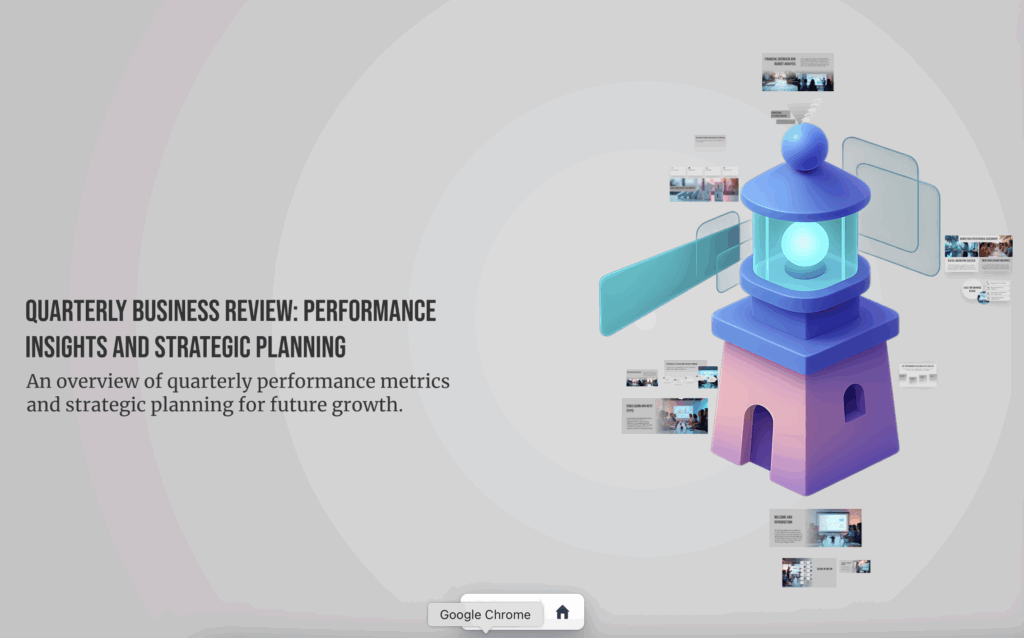
Prezi helps teams rethink what a QBR presentation can be. Instead of flipping through static slides, you present on a dynamic canvas that visually connects ideas, metrics, and strategy. This approach turns QBR presentations into guided conversations rather than one-way presentations. Simply drop a prompt or upload a file of content for your next QBR meeting, and Prezi AI generates a presentation in a flash.
Why Prezi AI works so well for QBR presentations
A QBR meeting is a story about your business—where you’ve been, where you are, and where you’re going. Prezi’s non-linear structure supports storytelling in a way traditional slides simply can’t. Prezi AI takes QBR presentations to the next level by reducing the time and effort it takes to create polished, professional content.
AI-powered content creation
Prezi AI can help generate and structure content for your QBR presentation, ensuring your message is clear, concise, and aligned with your goals. Whether you’re summarizing performance or outlining next-quarter priorities, AI helps you get started faster.
Stronger storytelling
By helping you organize ideas logically and visually, Prezi AI supports better storytelling. This ensures your QBR meeting flows naturally from insights to action.
Time savings
Instead of spending hours formatting slides, teams can focus on strategy and insights. Prezi AI helps streamline the creation process, making QBR presentations more efficient without sacrificing quality.
Smarter editing and refinement
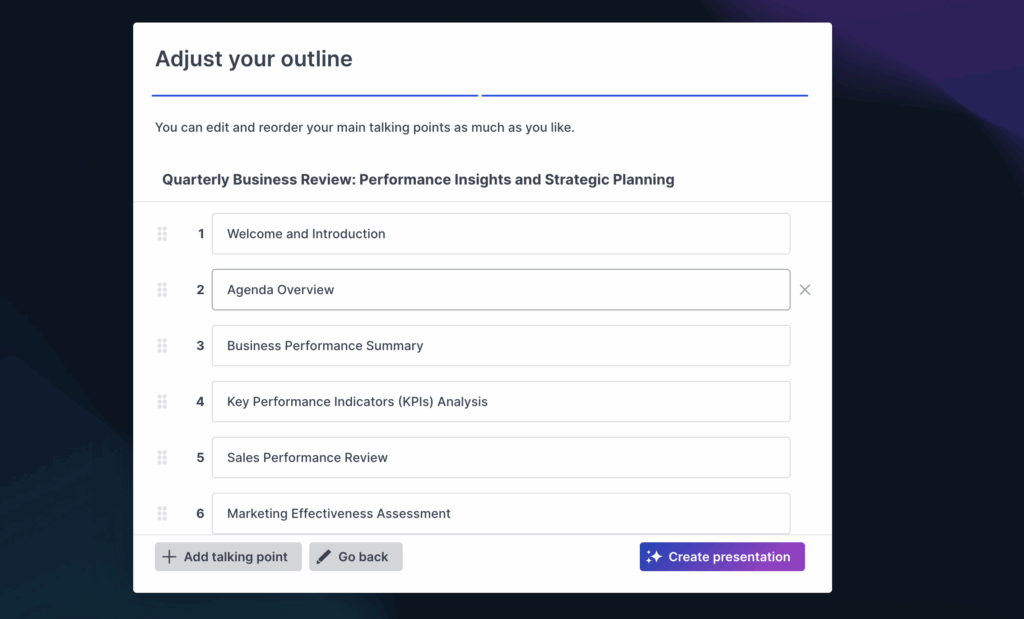
Prezi AI’s text editing tools help refine language for clarity and impact. It can suggest improvements, reduce redundancy, and ensure your messaging is executive-ready—especially helpful when preparing high-stakes QBR meetings. You can also easily rearrange your outline before the presentation is generated to ensure it hits all of your points.
Interactive presentations
With Prezi, QBR presentations don’t have to be one-directional. You can jump to different sections based on questions, explore data in real time, and adapt the flow of the meeting to your audience.
Multimedia integration
Charts, videos, images, and animations can be seamlessly embedded into your QBR presentation, helping you explain complex ideas more clearly and keep attention high.
Collaboration
Multiple team members can collaborate on the same QBR presentation, making it easier to gather insights from across departments and ensure alignment before the meeting even starts.
Make your next QBR meeting count
QBR meetings are essential for business growth, alignment, and performance improvement. But their impact depends heavily on how information is presented and discussed.
With Prezi and Prezi AI, QBR presentations become more than a quarterly routine. They become a strategic tool. By combining visual storytelling, interactivity, and AI-powered creation, Prezi helps teams deliver QBR meetings that are engaging, insightful, and action-oriented.
If you want your next QBR meeting to drive real alignment and momentum, it’s time to move beyond static slides and embrace a more dynamic approach. Prezi makes it easier to tell your story, highlight what matters most, and turn insights into action—quarter after quarter.
By using these features, you can turn your QBR meetings from mundane to motivational. A lively and interactive QBR presentation with Prezi will make the meeting more enjoyable and help convey your message more effectively. Try it out and see the difference it makes in your next QBR.