Naba Ahmed
January 30, 2026
Anyone can claim they have a “proven track record” or “strong communication skills.” But in today’s job market, telling isn’t enough—you need to show. A traditional resume forces you to rely on words alone, but a digital resume presentation provides the proof. It’s a dynamic portfolio that allows you to link directly to your best projects, embed a personal video introduction, and offer tangible evidence of your accomplishments. This guide will show you how to build an interactive resume that moves beyond simple claims and provides the undeniable proof that makes hiring managers take notice.
Key Takeaways
- Show, don’t just tell, your skills: Make your resume interactive by linking to your best work, embedding a short video introduction, and using visuals. This gives recruiters concrete proof of your abilities and helps you stand out from a stack of static documents.
- Design for humans, optimize for robots: Create a visually appealing layout that impresses hiring managers, but also weave in keywords from the job description. This ensures your resume passes through automated filters (ATS) and gets seen by a real person.
- Make it scannable and mobile-friendly: Use a clean layout, readable fonts, and plenty of white space to make your resume easy to scan in seconds. Always check that it looks great on a mobile device, as many recruiters review applications on the go.
What exactly is a digital resume?
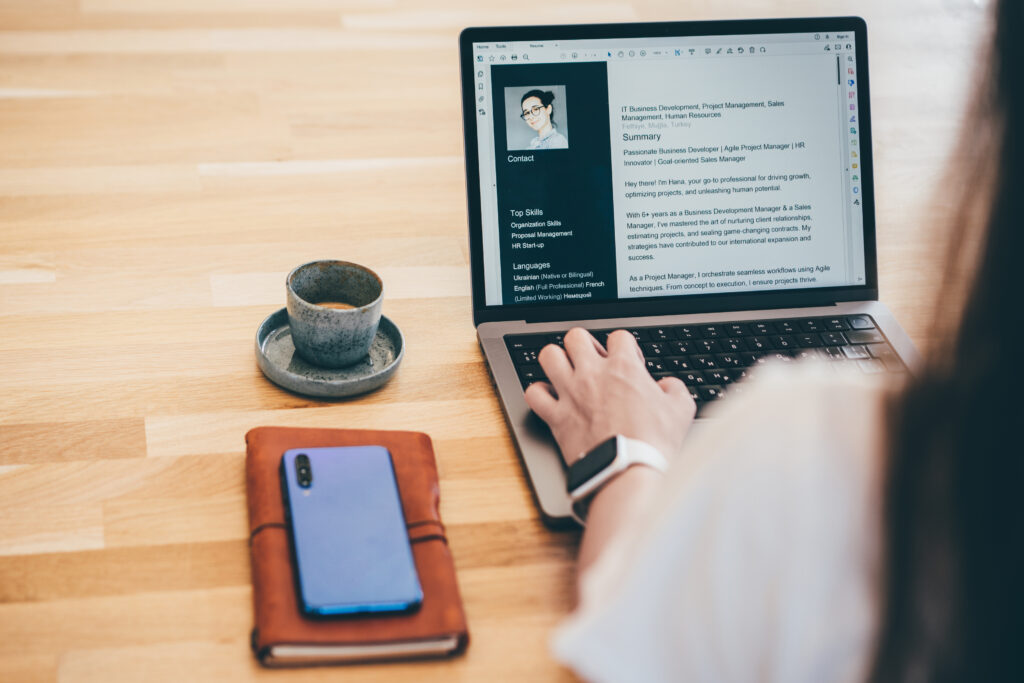
Think of a digital resume as the modern, tech-savvy version of your traditional paper resume. At its core, it’s an online document—often a PDF—that uses technology to bring your professional story to life. Instead of just listing your experiences, a digital resume lets you show them. It can include clickable links to your portfolio, embedded videos, images of your work, and other interactive elements that a static piece of paper simply can’t. This format gives you a unique opportunity to showcase your skills, experience, and personality in a way that’s far more engaging for recruiters and hiring managers.
It’s your chance to move beyond bullet points and create a compelling narrative about who you are and what you can bring to the table. In a sea of standard black-and-white resumes, a well-crafted digital version immediately stands out. It signals that you’re comfortable with current technology and that you’ve put extra thought and effort into your application. By making your resume interactive and visually appealing, you make it easier for employers to see your value and remember you long after they’ve closed the tab. It’s less of a document and more of an experience.
A digital resume doesn’t just live online—it evolves with you. With tools powered by AI, like Prezi AI, creating an interactive resume no longer requires design expertise. You can generate structured, visually engaging content from a simple prompt, then refine it to reflect your personal story. This makes it easier than ever to turn your experience into a compelling, interactive narrative that recruiters can explore, not just skim.
How it differs from a traditional resume
While a traditional resume is a static, one-page document meant for printing, a digital resume is dynamic and built for the screen. The biggest difference is interactivity. You can embed links directly to your online portfolio, your LinkedIn profile, or specific projects you’ve worked on, giving recruiters instant access to your best work. Digital resumes are also designed for online submission, making them compatible with the Applicant Tracking Systems (ATS) that most companies use to screen candidates. Plus, they’re incredibly easy to update and tailor for different job applications, saving you time and effort.
What to include
Your digital resume should cover all the basics you’d find on a traditional one: contact information, a professional summary, work experience, and education. But to make it truly effective, you’ll want to add those digital extras. Include direct links to your portfolio, professional social media profiles, and any relevant projects. It’s also crucial to sprinkle in keywords from the job description to help your resume get past automated screenings. Make sure the design is clean, concise, and easy to read on any device. And here’s a pro tip: always offer a simple PDF version so reviewers can easily print it out for taking notes.
Common formats to consider
A digital resume isn’t a one-size-fits-all document; it can take many forms. The most common is an interactive PDF or a polished Word document saved as a PDF. However, you can also think bigger. Your profile on a professional networking site like LinkedIn can serve as a comprehensive digital resume. For creative fields, a personal portfolio website is a fantastic option. You could also create an engaging online presentation that walks recruiters through your career journey or a short video resume to add a personal touch and let your personality shine through. The right format depends on your industry and what you want to highlight.

Why you need a digital resume
If your resume is still just a black-and-white document, you’re missing a huge opportunity to tell your professional story. In a competitive job market, a flat, text-only resume can easily get lost in the pile. A digital resume, on the other hand, is a dynamic, interactive calling card that brings your skills and experience to life. It’s more than just a list of past jobs; it’s a personal website, a portfolio, and a presentation all rolled into one.
Think of it as the difference between reading a movie script and actually watching the movie. A digital resume allows you to show recruiters what you can do, not just tell them. You can embed videos, link to projects, and use visuals to highlight your biggest achievements. It’s an adaptable, shareable, and engaging way to make a memorable first impression and prove you’re the right person for the job. By embracing a digital format, you give yourself the tools to stand out and connect with hiring managers on a deeper level.
Get noticed by recruiters
Hiring managers sift through hundreds of applications for a single role, and a standard resume can struggle to capture their attention. A digital resume immediately sets you apart. It shows you’re tech-savvy, creative, and willing to go the extra mile. In fact, candidates with a strong online presence are significantly more likely to get called for an interview. Your digital resume is the centerpiece of that presence—a polished, professional hub that makes recruiters pause and take a closer look. It’s your chance to make them think, “This is someone I need to talk to.”
Showcase your work with multimedia
Bullet points can only say so much. A digital resume lets you prove your skills with tangible examples. This is where you can truly shine by incorporating multimedia elements that a traditional resume can’t handle. Are you a graphic designer? Link directly to your portfolio. A public speaker? Embed a clip of your last talk. A writer? Share links to your published articles. A digital resume transforms your list of accomplishments into an interactive experience, allowing you to build a portfolio that demonstrates the quality and impact of your work.
Make updates instantly
Remember saving endless versions of your resume like “Resume_Final_ForReal_v2.pdf”? A digital resume eliminates that hassle. It’s a living document that you can update in real time. Just finished a major project or earned a new certification? You can add it in seconds. This flexibility makes it incredibly easy to tailor your resume for each specific job application. You can quickly adjust your professional summary or highlight different skills to align perfectly with the job description, ensuring you always present the most relevant version of yourself without starting from scratch every time.
Reach employers instantly
A digital resume is accessible to anyone, anywhere, with just a simple link. You can add it to your email signature, your LinkedIn bio, or your other social media profiles, turning your entire online presence into a gateway for new opportunities. This makes you discoverable by recruiters and hiring managers around the clock, not just when you’re actively applying for jobs. It breaks down geographical barriers and allows employers from all over the world to see what you have to offer. Your digital resume works for you 24/7, ensuring you never miss a chance to connect with your next great role.
How to craft a memorable digital resume
Your digital resume is your chance to make a memorable first impression. It’s more than a list of past jobs; it’s a dynamic space to tell your professional story and show recruiters exactly what you can do. A traditional resume tells, but a digital resume shows. By thoughtfully combining text, visuals, and interactive elements, you can create a compelling narrative that captures attention and highlights your unique value. This is where you move beyond bullet points and give hiring managers a real sense of your skills, personality, and potential.
The goal is to make the recruiter’s job easier and more interesting. Instead of just reading about your accomplishments, they can see them, click through them, and even hear from you directly. This approach demonstrates modern communication skills and a level of effort that sets you apart from candidates who submit a standard, static document. It shows you’re not just qualified, but also creative, tech-savvy, and thoughtful about how you present yourself. Let’s walk through how to build each part of your resume to ensure it stands out for all the right reasons, turning a simple application into an engaging experience for the person on the other side of the screen.
Use AI to shape your story faster
One of the biggest challenges in building a digital resume is knowing how to structure your story. Prezi AI helps you turn ideas into polished, well-organized content in minutes. By starting with a short prompt—such as your role, experience level, or career goals—AI can generate a clear narrative flow that you can personalize and refine. This lets you focus less on formatting and more on impact.
Write a compelling professional summary
Think of your professional summary as the trailer for your career. In just a few sentences, you need to hook the reader and make them want to learn more. Instead of a dry list of your past duties, tell a story. Explain where you’ve been professionally, what you’re passionate about, and what you can bring to the company. Frame your experience around your biggest accomplishments and future goals. Use strong, active language to describe your impact. This is your opportunity to set the tone for the rest of your resume and immediately connect your skills to the needs of your potential employer.
Link to your best work
One of the biggest advantages of a digital resume is the ability to include hyperlinks. This is your chance to go beyond simply stating your skills and provide concrete proof. Add links directly to your proudest projects, your online portfolio, or your professional social media profiles. If you’re a writer, link to your best articles. Be selective and curate your links to showcase work that is most relevant to the job you’re applying for. This gives recruiters a direct path to see your skills in action and understand the quality of what you produce.
Highlight your top skills visually
Your resume’s design should make it easy for a recruiter to quickly scan and find your most important qualifications. Use a clean, simple layout with plenty of white space to improve readability. Choose two or three complementary colors that reflect your personal brand and stick to professional, easy-to-read fonts like Arial or Roboto. You can use subtle visual elements like icons or simple bar graphs to represent your skills and proficiency levels. The goal isn’t to create a flashy art project, but to strategically use design to guide the recruiter’s eye to your key strengths and make your resume effortless to read.
Introduce yourself with a personal video
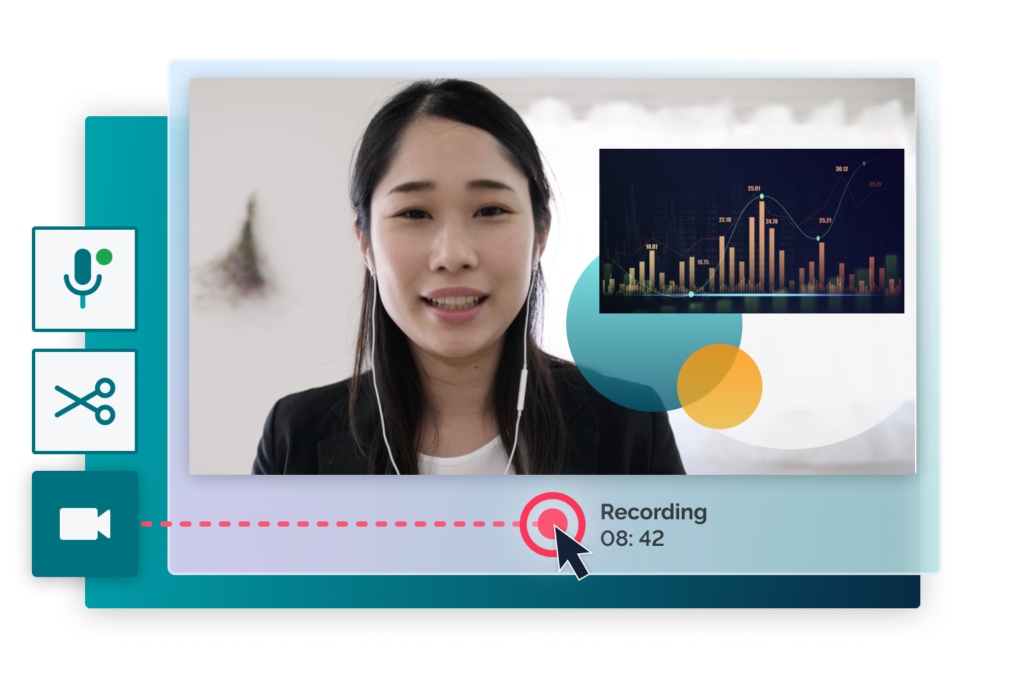
Want to truly stand out? Add a short, personal video to your resume. A 30- to 60-second video is a powerful tool for showing your personality and excellent communication skills before you even get to an interview. It helps you create a genuine connection with the hiring manager. Plan what you’ll say, find a spot with good lighting and a clean background, and speak directly to the camera with confidence. You can use a tool like Prezi Video to easily record a professional video and even add text or graphics on screen to emphasize key points about your experience.
Weave in your personal brand
Every part of your digital resume—from the words you choose to the colors and fonts you use—should work together to build a consistent personal brand. Your brand is the story of who you are as a professional. Are you a meticulous data analyst? A creative problem-solver? A collaborative leader? Make sure your resume reflects that identity. This consistency shows that you are self-aware and intentional in your career. It helps recruiters understand not just what you’ve done, but who you are and how you might fit into their company culture.
Build your digital resume, step-by-step
Creating a digital resume from scratch might feel like a big project, but it’s completely manageable when you break it down. Follow these five steps to build a professional, effective digital resume that gets you noticed.
Let AI handle the first draft
Staring at a blank page can slow down even the most experienced professionals. That’s where Prezi AI shines. Instead of building from scratch, you can generate a structured resume or presentation outline instantly, then customize it with your own voice, visuals, and examples. AI doesn’t replace your experience—it helps you present it more clearly and confidently.
Choose the right platform
First things first, decide where your digital resume will live. This isn’t just about choosing a template; it’s about selecting the right format for your career goals. A digital resume can be anything from an interactive presentation or a personal portfolio website to a polished LinkedIn profile or even a simple, shareable PDF.
Think about your industry. If you’re a graphic designer, a visual portfolio website is a must. If you’re in sales, a dynamic presentation that showcases your results might be more impactful. For most professionals, a combination works best: a detailed LinkedIn profile and a more creative resume you can share as a link. The key is to choose a platform that best highlights your unique skills and experience.
Design a clean and professional layout
Your resume’s design is the first thing a recruiter will notice, so make it count. A clean, professional layout shows that you’re detail-oriented and care about your work. You don’t need to be a designer to create something beautiful. Start with a simple layout that prioritizes readability.
Stick to two or three complementary colors and choose a professional, easy-to-read font like Arial or Roboto. Use white space strategically to prevent the page from looking cluttered, which helps guide the recruiter’s eye through each section. If you need some inspiration, exploring different presentation designs can give you great ideas for layouts, color palettes, and font pairings that look polished and modern.
Organize your content for readability
Once you have a layout, it’s time to organize your content. The goal is to make it as easy as possible for a hiring manager to see why you’re the perfect fit in 10 seconds or less. Start with a strong professional summary that hooks them in. Then, list your work experience in reverse chronological order, using bullet points to highlight your key achievements—not just your responsibilities.
Gather links to your best work, whether that’s a portfolio, a published article, or a project you’re proud of. Create a dedicated skills section and consider adding testimonials or quotes from previous managers. Think of it as building a story about your career path, with each section adding another compelling chapter.
Optimize for Applicant Tracking Systems (ATS)
Before a human ever sees your resume, it will likely be scanned by an Applicant Tracking System (ATS). This software filters candidates by searching for specific keywords related to the job. To get past the bots, you need to optimize your content.
Carefully read the job description and identify the key skills and qualifications the employer is looking for. Weave these exact keywords and phrases naturally into your summary, work experience, and skills sections. While a creative design is great for your portfolio, make sure the version you submit through online portals is ATS-friendly. Stick to standard fonts and a simple format, avoiding tables, columns, and images that can confuse the software.
Protect your personal information
In the process of sharing your professional life, don’t forget to protect your personal information. You don’t need to include your full home address on a digital resume. Your city, state, professional email address, and a link to your LinkedIn profile are plenty. Avoid sharing sensitive data like your date of birth or any national identification numbers.
When using an online resume builder, check its privacy policy to ensure your data is secure. Reputable platforms will be transparent about how they handle your information and comply with privacy regulations like GDPR. It’s all about finding the right balance between being accessible to recruiters and maintaining your personal online safety.
The best tools for building your digital resume
Once you have your content ready, it’s time for the fun part: bringing it to life. The right tool can make all the difference, helping you create a polished and professional digital resume that truly reflects your personality and skills. From dynamic presentation software to dedicated resume builders, the best choice depends on your industry and how much creative control you want. Let’s look at a few popular options to help you find the perfect fit.
Create a dynamic resume with Prezi
If you want to break free from static documents, Prezi combined with Prezi AI offers a powerful alternative. Prezi’s interactive canvas lets you guide recruiters through your experience visually, while AI helps you organize content, suggest layouts, and generate clear messaging. You can zoom into achievements, embed videos, and link to real work—creating a resume that feels more like an experience than a document.
Explore top resume builders
For a straightforward approach, dedicated resume builders offer a fast way to create a professional document. Tools like ResumeBuilder.com provide modern, customizable templates you can edit on any device. Similarly, VisualCV helps you create a clean resume in minutes, which you can download as a PDF or share with a direct link. These platforms are great if you need a polished resume quickly and want to ensure it follows a standard, recruiter-friendly format. They handle the design so you can focus on the content.
Build a portfolio website
If your work is highly visual or project-based, a standard resume might not be enough to showcase your talent. This is where a personal portfolio website comes in. Platforms like Squarespace or Wix make it simple to build a site where you can display projects, case studies, and testimonials. Think of it as the home base for your professional accomplishments. You can then link to your portfolio from your digital resume and social profiles, giving employers a comprehensive look at what you can do. It’s an essential tool for designers, writers, developers, and photographers.
Use design tools for a custom look
If you have a specific vision and want complete control over the design, graphic design tools are your best bet. Platforms like Canva and Adobe Express offer templates and design elements to help you create a custom resume from scratch. This option is ideal for creatives who want their resume to be a direct reflection of their design skills. You can tailor every detail, from the color palette to the layout, ensuring your resume is as unique as your experience. Just remember to keep it clean, professional, and easy for recruiters to read.
Design tips for a polished digital resume
Your digital resume is more than just a document—it’s a personal marketing tool. And just like any good marketing, design matters. A clean, professional, and easy-to-read layout can make the difference between a quick glance and a genuine review from a hiring manager. You don’t need to be a graphic designer to create something impressive. By focusing on a few key principles, you can build a digital resume that looks polished and helps your qualifications stand out.
Think of it as setting the stage for your professional story. A thoughtful design shows attention to detail, a skill every employer values. It communicates that you’re organized, modern, and care about the quality of your work. When a recruiter opens a resume that is visually cluttered or hard to read, it creates an immediate negative impression. Conversely, a well-designed resume is inviting and makes it easy for them to see exactly why you’re the right person for the job. These tips will help you create a visually appealing resume that complements your professional experience and makes a lasting positive impression.
Guide the recruiter’s eye
Recruiters are busy people. On average, they spend just a few seconds scanning each resume before deciding whether to read more. This means you have a very small window to make a big impression. Use visual hierarchy to your advantage by making the most important information the most prominent. Place your name, professional summary, and most recent role where the eye naturally falls—usually the top portion of the page. Use clear headings, bold text for job titles, and bullet points for achievements to create a path for the reader’s eye to follow. This makes your resume scannable, ensuring your key qualifications get noticed instantly.
Choose readable fonts and colors
When it comes to fonts, clarity is king. Stick with clean, professional fonts like Arial, Roboto, or Helvetica that are easy to read on any screen. Avoid overly decorative or script fonts that can be difficult to decipher, especially at a small size. Your font size should be comfortable to read, typically between 10 and 12 points for body text. For your color scheme, less is more. A simple palette with a neutral background (like white or light gray) and one or two accent colors for headings or links looks professional and keeps the focus on your content. The goal is to create a pleasant reading experience, not a distracting one.
Use white space to avoid clutter
Don’t be afraid of empty space. White space, or negative space, is the area around text and other elements on your page, and it’s one of the most important parts of a good design. A resume packed with text from margin to margin can feel overwhelming and is difficult to read. By using generous margins, leaving space between sections, and using appropriate line spacing, you give your content room to breathe. This simple technique makes your resume look more organized, professional, and approachable. It helps separate different sections of your resume, making it easier for a recruiter to scan and find the information they need quickly.
Add engaging interactive elements
This is where your digital resume can truly shine. Unlike a static PDF, a digital format allows you to include interactive elements that bring your experience to life. Add clickable links to your online portfolio, your LinkedIn profile, or specific projects you’ve described. You can also embed images, infographics, or even a short introductory video to showcase your personality and communication skills. A tool like Prezi Video makes it easy to create a professional video that you can link directly from your resume. These elements provide deeper context and proof of your abilities, giving recruiters a much richer understanding of who you are.
Ensure it looks great on any device
Recruiters and hiring managers review resumes on all kinds of devices, from large desktop monitors to their phones on the go. Your digital resume must be responsive, meaning its layout adapts to look great on any screen size. A resume that’s difficult to read or navigate on a mobile device can lead to a frustrating experience and might get you passed over. Before you send your resume to anyone, test it on your own phone and tablet. Make sure the text is readable without zooming, links are easy to tap, and the overall layout remains clean and organized. Using a platform designed for digital presentations often takes care of the technical work for you.
Get the most out of your digital resume
Creating a beautiful digital resume is the first step, but making it work for you is where the real strategy comes in. Once you’ve built your resume, you can use it as a powerful tool to get noticed and understand your impact during the job search. Think of it less as a static document and more as an active part of your personal marketing campaign. By tailoring your content, connecting your professional profiles, and keeping an eye on who’s looking, you can turn your resume into your most effective career asset.
Save time while customizing applications
Tailoring your resume for each role is essential—but time-consuming. Prezi AI makes customization faster by helping you rewrite summaries, reframe accomplishments, or emphasize different skills depending on the role. This means you can adapt your resume for multiple applications without starting over each time.
Include keywords from the job description
Before you hit “send” on any application, take a few minutes to customize your resume for the specific role. Many companies use Applicant Tracking Systems (ATS) to scan resumes for relevant keywords before a human ever sees them. Read the job description carefully and identify the key skills, software, and qualifications the employer is looking for. Weave these exact words and phrases naturally into your professional summary, skills section, and descriptions of your work experience. This simple step helps you get past the initial digital filter and shows the hiring manager that you’re a perfect fit for the position.
Connect your social and professional profiles
One of the biggest advantages of a digital resume is its ability to be interactive. Don’t just tell recruiters what you can do—show them. Include clickable links to your polished LinkedIn profile, your online portfolio, or any other professional social media accounts that showcase your work. This gives hiring managers a chance to see the full picture of who you are and what you’ve accomplished. By providing direct access to your projects and professional presence, you turn your resume from a simple summary into a central hub for your personal brand, making it easier for employers to explore your skills in depth.
Common mistakes to avoid
Creating a digital resume is your chance to make a great first impression, but a few common missteps can send it to the “no” pile before you even get a chance. Let’s walk through some of the most frequent mistakes I see and how you can easily sidestep them to keep your application in the running.
Overcomplicating the design
When it comes to design, less is definitely more. It’s tempting to show off your creative flair with flashy graphics and unique fonts, but a cluttered resume can be overwhelming. Remember, recruiters often spend just a few seconds scanning each application. Your goal is to make their job easier. Stick to a clean, professional layout with plenty of white space to guide their eye. Choose easy-to-read fonts and a simple color scheme. A well-organized design shows that you’re a clear communicator, which is a valuable skill in any role. For more inspiration, check out these tips on presentation design.
Forgetting about Applicant Tracking Systems
Before a human ever sees your resume, it will likely be screened by an Applicant Tracking System (ATS). These systems scan for specific keywords and phrases to determine if you’re a good match for the role. If your resume doesn’t include the right terms, it could be automatically filtered out. To get past the bots, carefully review the job description and incorporate relevant keywords—especially skills and qualifications—naturally throughout your resume. Think of it as speaking the company’s language. This simple step ensures your carefully crafted resume makes it to a real person’s screen.
Ignoring mobile viewers
Many recruiters and hiring managers are on the go, reviewing applications on their phones or tablets between meetings. If your digital resume isn’t optimized for mobile, they might see a jumbled mess of text and images. This can lead to an instant rejection, no matter how qualified you are. Always test your resume on different screen sizes to ensure it’s easy to read and navigate on any device. A responsive design shows that you’re thoughtful and detail-oriented. Using a platform like Prezi Video can help you create content that looks great everywhere, ensuring a seamless experience for every viewer.
Sharing too much personal information
Your resume should be a highlight reel of your professional life, not your entire life story. Including too much personal or irrelevant information can distract from your qualifications. Steer clear of adding personal photos (unless it’s standard in your industry), listing outdated skills, or including generic, cliché statements like “hard worker.” Every single element should serve a purpose and reinforce why you’re the best candidate for the job. Focus on your most impressive and relevant accomplishments. This keeps your resume concise, powerful, and centered on the value you bring to the employer.
The best plan for digital resume presentations
A digital resume isn’t just about standing out—it’s about being understood. With interactive formats and AI-powered tools like Prezi AI, you can clearly show who you are, what you’ve done, and why you’re the right choice—before you ever step into the interview.
Frequently Asked Questions
Is a digital resume just a fancy PDF? Not exactly. While an interactive PDF is a popular format, a digital resume is more about the concept than the file type. It’s any resume that uses technology to showcase your skills interactively. This could be a personal portfolio website, a dynamic presentation, or even a polished LinkedIn profile. Tools like Prezi AI make it easier to go beyond static text by helping you structure interactive content, add visual hierarchy, and guide recruiters through your story with clickable paths, embedded media, and clear takeaways.
Do I still need a digital resume if I’m not in a creative field? Absolutely. A digital resume isn’t just for designers and artists. In any industry, it shows that you’re a modern professional who communicates clearly and effectively. For roles in finance, operations, or project management, a clean, well-organized digital resume—especially one created with help from Prezi AI—demonstrates clarity, structure, and strategic thinking. It’s not about being flashy; it’s about presenting your qualifications in a way that’s easy to understand and hard to ignore.
How do I make a creative resume that also gets past automated scanners (ATS)? The best approach is to use two versions. Create an interactive, visually engaging digital resume—such as a Prezi presentation built with Prezi AI—to share as a link with recruiters or in emails. Then, maintain a simplified, ATS-friendly version for application portals. Prezi AI can help you refine messaging and identify key skills to emphasize, making it easier to align both versions with the job description while keeping your core story consistent.
What’s the difference between a digital resume and my LinkedIn profile? Think of LinkedIn as your comprehensive professional archive. It’s where your full work history, connections, and updates live. Your digital resume is a focused highlight reel tailored to a specific role. With Prezi AI, you can quickly shape that story—spotlighting only the most relevant skills, achievements, and examples—while still linking out to your LinkedIn profile for anyone who wants deeper context.
Is adding a personal video to my resume a good idea for everyone? A video isn’t required, but it can be a powerful advantage when used thoughtfully. For roles that involve communication, collaboration, or client interaction, a short video helps recruiters connect with you on a human level. Using Prezi Video with Prezi AI, you can easily create a polished introduction that highlights key points on screen as you speak—no advanced editing skills needed. Keep it brief (30–60 seconds), authentic, and focused on what you bring to the role.