Naba Ahmed
December 01, 2025
You’ve achieved something great – a successful project, a happy client, a problem solved. Now, how do you share that story in a way that truly captures attention and highlights your expertise? The answer lies in creating an impactful case study presentation. This is your chance to go beyond simple facts and figures. You can weave a narrative that details the initial challenge, your strategic approach, and the fantastic outcomes. It’s about making your success relatable and demonstrating your value in a clear, convincing manner. This article will provide you with actionable steps and insights to help you craft a case study presentation. We’ll dive into how you can use AI presentation makers like Prezi AI to create a case presentation faster and easier.

What is a case study presentation?
Think of a case study presentation as telling a compelling story about a real-world problem and how a specific solution (like your product or service) came to the rescue. It’s more than just a dry report; it’s a dynamic way to demonstrate value by walking your audience through a specific challenge, the journey of implementing a solution, and the positive, measurable outcomes that followed. Essentially, you’re showing, not just telling, how effective your approach can be in a real-world scenario. This method allows you to clearly explain your product’s benefits and how it tackles specific problems.
These presentations are fantastic for building credibility and offering what’s known as social proof. When potential clients or partners see a clear example of how you’ve helped someone else achieve their goals, it makes them much more confident in your ability to deliver similar results for them. You’re moving beyond simply listing features; you’re illustrating tangible benefits in action. A well-crafted case study presentation is all about making your solution relatable and proving its impact through a genuine success story.
What do I need for a case study presentation?
When you thoughtfully structure your case study with these elements, you’re doing more than just sharing data; you’re demonstrating your expertise and the tangible, real-world impact of your work. AI tools like Prezi AI can help you quickly translate these elements into a dynamic outline.
Whether your goal is to win over new clients, disseminate important research findings, or teach a valuable lesson, getting these foundational parts right is absolutely crucial. We’re talking about laying a clear foundation by defining the problem, meticulously walking through your solution and its implementation, showcasing those hard-earned results with clarity, and finally, leaving your audience with strong, actionable takeaways. Each piece logically builds on the last, painting a comprehensive and convincing picture of success.
Set the scene: The problem
Every compelling case study begins by clearly outlining the problem. This is where you draw your audience in. Think of it as the “before” picture. You need to articulate the specific challenge, pain point, or gap that needs addressing. So, your first step is to make that problem crystal clear. Why was this an issue? Who was affected? What were the stakes? Providing this context helps your audience understand the significance of the solution you’re about to present. Don’t just state the problem; help them feel its weight and importance. This sets the stage for your solution to shine.
Prezi AI can even help you refine this opening section by suggesting a clear presentation theme that helps the audience immediately grasp the significance of the challenge.
Detail your solution and implementation
Once you’ve established the problem, it’s time to introduce your solution. Explain what was done to address the challenge. Be specific about the strategies, tools, or methods used. It’s also helpful to briefly touch upon any alternative solutions that were considered and why the chosen path was the most effective. This isn’t just about what you did, but also how and why you did it. Walking your audience through the implementation process demonstrates your thought process and the practical application of your expertise, making your case study more relatable and credible.
Prezi AI can automatically turn your process steps into structured visual layouts, helping your audience understand your strategic decision-making at a glance.
Highlight key results and their impact
This is where you show off the “after” picture, and it’s often the most exciting part for your audience. What were the tangible outcomes of your solution? Use concrete data and specific metrics to demonstrate success. Numbers speak volumes, so quantify your achievements whenever possible. Beyond the numbers, explain the broader impact of these results. How did they benefit the client, company, or project? Connecting results to real-world impact makes your case study far more powerful and helps your audience see the true value of your work.
Conclude with strong takeaways
Finally, wrap up your case study presentation with clear, concise takeaways. What are the main lessons learned? What are the key messages you want your audience to remember? This is your chance to reinforce the value of your solution and suggest how these insights could be applied elsewhere. A strong conclusion leaves a lasting impression and can inspire your audience to take the next desired action, whether it’s adopting a similar strategy or learning more about your services.
How do I structure my case study presentation?
Alright, let’s talk structure. A well-organized case study presentation isn’t just about sharing information; it’s about telling a compelling story that resonates with your audience and clearly demonstrates value. Think of it as building a narrative arc that guides your audience from understanding the initial challenge to appreciating the successful outcome. When you get the structure right, your message becomes clearer, your impact greater, and your audience more engaged. A thoughtfully structured presentation ensures your audience can easily follow along, absorb the key takeaways, and see the real-world application of your work. Here’s how you can lay out your case study for the best results, making sure every part builds effectively on the last.

Open with a strong hook
First impressions matter, right? You want to grab your audience’s attention from the get-go. A compelling case study needs a strong narrative that captures interest immediately. Forget dry introductions; think about starting with a surprising statistic that underscores the problem’s significance, a brief, relatable anecdote that illustrates the challenge, or even a thought-provoking question that gets your audience thinking. The goal is to make them lean in and want to know more. For instance, instead of saying “This case study is about improving efficiency,” you could start with, “Imagine losing 20 hours a week to outdated processes. That was the reality for Company X before we stepped in.” See the difference? It’s about making an immediate connection and setting an engaging tone.
If you’re unsure where to start, Prezi AI can suggest opening hooks or layouts based on your content, helping you craft an introduction that immediately captures attention.
Present essential background information
Once you’ve hooked your audience, it’s time to set the stage. Providing context about the problem is crucial. This background information helps everyone understand the environment in which the case study takes place and why the issue at hand is so important. Briefly introduce the client or the situation, outline the industry, and describe the circumstances leading up to the challenge. You don’t need to write a novel here, but give enough detail so your audience can appreciate the complexities and the stakes involved. This groundwork ensures that when you introduce the problem and your solution, it lands with the intended impact because everyone understands the starting point and the significance of what you’re about to share.
Clearly detail the problem and your solution
This is the heart of your case study. You need to clearly state the problem you or your client faced and then explain how you approached it. Don’t be vague. Articulate the specific challenges, pain points, or obstacles that need to be addressed. Then, walk your audience through the solution you implemented. What strategies did you use? What steps did you take? If your solution was multi-faceted, break it down into understandable components. The key here is clarity and logic. Your audience should easily follow your thought process and understand exactly what was done to tackle the problem and why your approach was chosen.

Showcase results with clear data
Here’s where you really shine by showing the tangible impact of your solution. It’s not enough to say things improved; you need to prove it. Use numbers to substantiate your claims! Make sure to include metrics such as improvements in conversion rates, return on investment (ROI), customer satisfaction scores, or any other relevant key performance indicators (KPIs). Presenting data visually, perhaps with charts or graphs, can make these results even more powerful and easier to digest. When your audience sees hard evidence of success, your case study becomes incredibly persuasive and memorable, solidifying the value of your work.
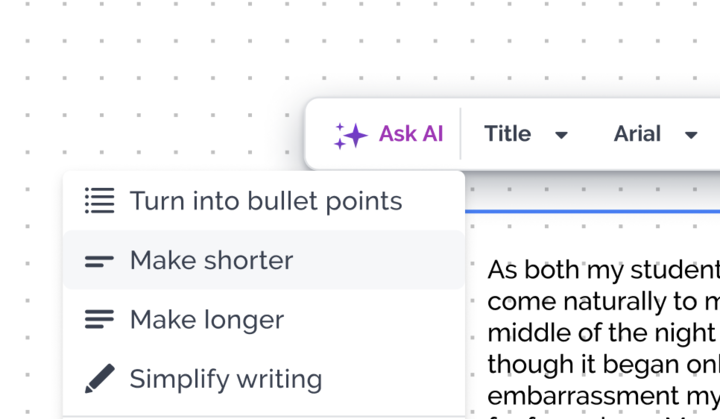
Prezi’s Ask AI feature can convert performance data into visual elements with one click, ensuring your impact is both professional and easy to understand.
Wrap up with actionable insights
Finally, bring your case study to a satisfying close. Summarize the key points: the challenge, the solution, and the outstanding results. But don’t stop there. Offer actionable insights or recommendations that your audience can take away. What lessons were learned? What broader implications do your findings have? This helps your audience understand the value beyond this specific case and consider how these insights might apply to their own situations. A strong conclusion reinforces your message and leaves a lasting impression, encouraging further thought or even inspiring future actions.
Create an engaging case study presentation
Okay, so you’ve got your structure down, and you know your audience. Now, let’s talk about making your case study presentation truly engaging. This isn’t just about presenting facts; it’s about making your audience feel connected to the story and understand the impact of your work. When your audience is engaged, they’re more likely to remember your key messages and feel inspired by the solution you presented. Think of it as transforming a simple report into a memorable experience. We want people leaning in, not zoning out.
This means going beyond static slides and finding ways to make your content dynamic and interactive. It’s about showing, not just telling, and making your audience an active participant in the story you’re unfolding. When you craft an engaging presentation, you’re not just sharing information; you’re creating an experience that sticks. This approach is key whether you’re presenting to potential clients, colleagues, or in an educational setting. The goal is to make your case study so compelling that your audience feels the weight of the problem and the triumph of the solution. Let’s explore a few practical ways to achieve this and make your next case study presentation your best one yet.
Use storytelling to connect
At its heart, a compelling case study is a story. It’s the narrative of a challenge faced, a journey undertaken, and a successful resolution. When you frame your case study as a story, you make it instantly more relatable and memorable. Think about it: we’re all wired for stories. Instead of just listing problems and solutions, introduce the client or situation as the protagonist. Describe the challenge they were up against in a way that your audience can empathize with. Then, walk them through the steps taken, highlighting the turning points and insights gained along the way. This narrative approach helps to build an emotional connection, making the eventual success and the results you achieved feel much more impactful.

Clarify with compelling visuals
Words are powerful, but visuals can often communicate complex information more quickly and effectively. When you’re presenting data or intricate processes, using visuals like charts, graphs, and relevant images can make all the difference. A well-designed chart can illustrate a trend far better than a paragraph of text, and a carefully chosen image can evoke the right emotion or context. Think about how you can visually represent the “before and after” of your case study. Perhaps a simple diagram can explain the solution you implemented, or a series of impactful photos can show the real-world results. The goal is to make your information not just understandable, but also visually appealing and easy to digest, helping your audience grasp key points at a glance.
Encourage audience interaction
One of the best ways to keep your audience engaged is to involve them. Instead of a one-way information dump, think about how you can create opportunities for interaction. This could be as simple as posing thoughtful questions at key points in your presentation or incorporating a quick poll. If the setting allows, you might even include a brief Q&A segment after discussing a particularly complex part of your solution. When you encourage interaction, you transform your audience from passive listeners into active participants. This not only helps maintain their attention but also allows you to gauge their understanding and address any immediate curiosities or concerns they might have, making the entire experience more collaborative.

Incorporate dynamic and interactive elements
To really make your case study shine, consider incorporating dynamic and interactive elements. This is where tools like Prezi AI can be incredibly helpful, allowing you to move beyond traditional slides and craft presentations that truly capture attention. Imagine embedding a short video testimonial from the client or using interactive data visualizations that allow your audience to explore the results themselves. Prezi AI enhances this even further by helping you generate interactive transitions and zoom paths automatically, reducing the time it takes to build a polished, dynamic presentation. These elements can make your presentation feel more modern, professional, and, most importantly, memorable, helping your message resonate long after you’ve finished speaking.
Tailor your presentation to the audience
Okay, let’s talk about one of the most crucial aspects of delivering a case study presentation that truly hits home: knowing who you’re talking to. It sounds simple, but tailoring your message to your specific audience can be the difference between a presentation that falls flat and one that sparks real engagement and action. Think of it like this: you wouldn’t explain a complex scientific theory the same way to a group of high school students as you would to a panel of PhDs, right? The same principle applies here. When you present a case study, you’re sharing a story of a problem, a solution, and the impact it had. The core elements of that story will likely stay the same, but how you tell it, what details you emphasize, and the language you use should absolutely shift based on who’s listening.
Understanding your audience isn’t just a nice-to-have; it’s fundamental to making your message resonate and achieve its purpose. When you truly understand your audience, you can craft a presentation that speaks directly to their interests, concerns, and motivations. This makes your case study far more persuasive and memorable, ensuring your hard work gets the attention and appreciation it deserves. It’s about connecting your insights to what matters most to them, making your findings not just interesting, but directly relevant to their world.
Business audience: Focus on ROI
When you’re presenting your case study to a business-minded group—think executives, potential investors, or department heads—your primary focus should be crystal clear: the return on investment (ROI). These folks are often most concerned with the bottom line. How did your solution save money, generate revenue, improve efficiency, or provide a competitive advantage? Be ready to talk numbers and tangible benefits. Instead of getting bogged down in the minute operational details (unless specifically asked), highlight the strategic value and financial impact. Frame your results in terms of profit, cost savings, market share growth, or customer acquisition improvements. Show them how your case study demonstrates a smart investment or a successful strategy that delivered measurable business outcomes.

Educational audience: Emphasize learning outcomes
If your audience consists of students, educators, or anyone in a learning-focused environment, your approach needs to shift. Here, the emphasis should be on the learning outcomes and the insights your case study provides. What new knowledge or understanding can they gain? How does your case study illustrate a particular concept, theory, or problem-solving approach in action? You’ll want to explain your project’s benefits and successes in a way that highlights the “how” and “why,” making it a valuable teaching tool. Focus on the journey, the challenges overcome, and the lessons learned. This audience will appreciate a clear explanation of the problem-solving process and the practical application of knowledge that led to the successful outcome.

Research audience: Detail your methodology
Presenting to a research-oriented audience, such as academics, scientists, or industry analysts, requires a different kind of precision. This group will be keenly interested in the rigor and validity of your findings, which means you need to thoroughly detail your methodology. How did you collect your data? What research methods did you employ? What were your sample sizes, and how did you ensure the reliability of your results? Be prepared to discuss the statistical significance of your findings and any limitations of your study. As SAGE Publications notes in their discussion of audience analysis, understanding the statistical underpinnings is key for such groups. Transparency about your process will build credibility and allow your audience to critically evaluate and appreciate the depth of your work.
Leverage AI presentation tools for memorable case studies
When you’re putting together a case study presentation, the right technology can be a complete game-changer, transforming a good presentation into a truly standout one. It’s not about letting tech do all the work, but rather using it smartly to make your story clearer, your visuals sharper, and your overall delivery more impactful and memorable. Think of these tools as your creative partners, ready to help you build a presentation that not only conveys information but also genuinely connects with your audience, showcasing your case study in the best possible light. This approach ensures your hard work gets the attention it deserves.
Modern presentation software offers a wealth of features designed to support your storytelling. From AI-powered design assistants that can help you craft beautiful slides in minutes to interactive elements that draw your audience into the narrative, the possibilities are exciting. Furthermore, making complex data easy to grasp through dynamic visualization can significantly enhance understanding and retention. Leveraging these technological advancements means you can focus more on the core message of your case study and your connection with the audience, confident that the delivery will be polished and professional. Let’s explore a few key areas where technology can really elevate your presentation and help you leave a lasting impression on anyone you speak to.
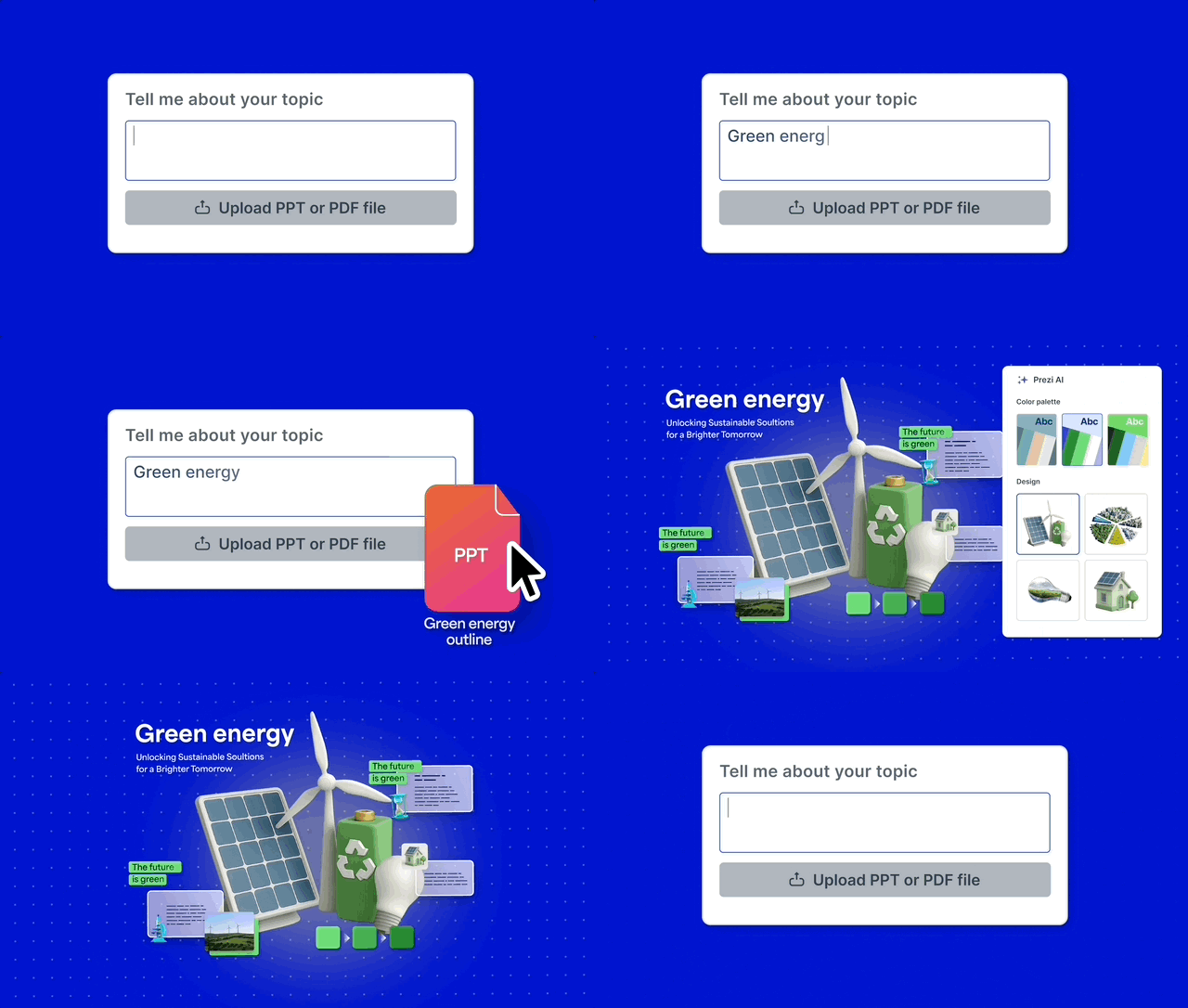
Prezi AI in particular is built to understand the structure of your case study and offer smart design, layout, and storytelling recommendations that save hours of manual work.
AI tools for polished visuals
We all know that creating a presentation that looks truly professional can eat up a lot of time—time you could be spending on refining your core message or practicing your delivery. This is where AI tools can be a real game-changer. For instance, Prezi AI helps you generate impressive presentation designs and visual styles quickly. You give it a starting point, and it assists in crafting visuals that are not only eye-catching but also effective in keeping your audience focused. This means you get that polished, professional look without sinking hours into design, freeing you up to concentrate on the substance of your case study and how you’ll share your story.
Interactive features for greater engagement
Let’s be honest, static slides can sometimes make it challenging to keep your audience fully tuned in, especially when you’re sharing detailed case study information. Introducing interactive elements can transform your presentation from a simple talk into a more dynamic and engaging experience. Software like Prezi, for example, allows you to build presentations that move beyond the usual one-slide-after-another format. Imagine smoothly zooming into crucial details, revealing information step-by-step as your narrative unfolds, or even letting your audience explore certain aspects. This approach makes your content more memorable and encourages them to lean in, ensuring your key findings really resonate.
Data visualization for clear communication
Case studies often come packed with data, and presenting that information clearly is absolutely vital for your audience to grasp the true impact of your work. Instead of overwhelming them with dense charts or tables, effective data visualization can make complex numbers digestible and even quite compelling. Many of Prezi’s presentation templates are designed with a rich, cinematic feel, allowing you to move around your canvas and reveal data points as part of an engaging story. This helps you step into the role of a storyteller, guiding your audience through the data in a way that highlights key insights and makes your results truly stand out and easy to understand.
Common mistakes to avoid in case study presentations
We all want our case study presentations to hit home, but sometimes, a few common slip-ups can get in the way of our message. The good news is that these are often easy to fix with a bit of awareness and planning. Think of this as your friendly heads-up on what to watch out for, so your hard work truly shines, and your audience walks away impressed and informed. When you’re pouring effort into developing a compelling case study, the last thing you want is for a preventable misstep to overshadow your insights. These aren’t about pointing fingers; they’re about sharing collective wisdom so we can all get better at sharing our stories and findings.
Presenting a case study is a fantastic opportunity to showcase problem-solving skills, highlight successes, and share valuable lessons. But even the most compelling data can get lost if the delivery isn’t quite right. By sidestepping these typical pitfalls, you’re setting yourself up for a presentation that not only shares information but also genuinely connects and persuades. It’s about making sure every element, from your slides to your speaking style, works together to create a clear, engaging, and memorable experience for everyone in the room. Taking the time to understand these common challenges means you can proactively craft a presentation that avoids them, allowing you to effectively communicate your ideas and achieve your presentation goals with greater confidence. Let’s make sure your next case study presentation is your best one yet!
Overloading slides with text
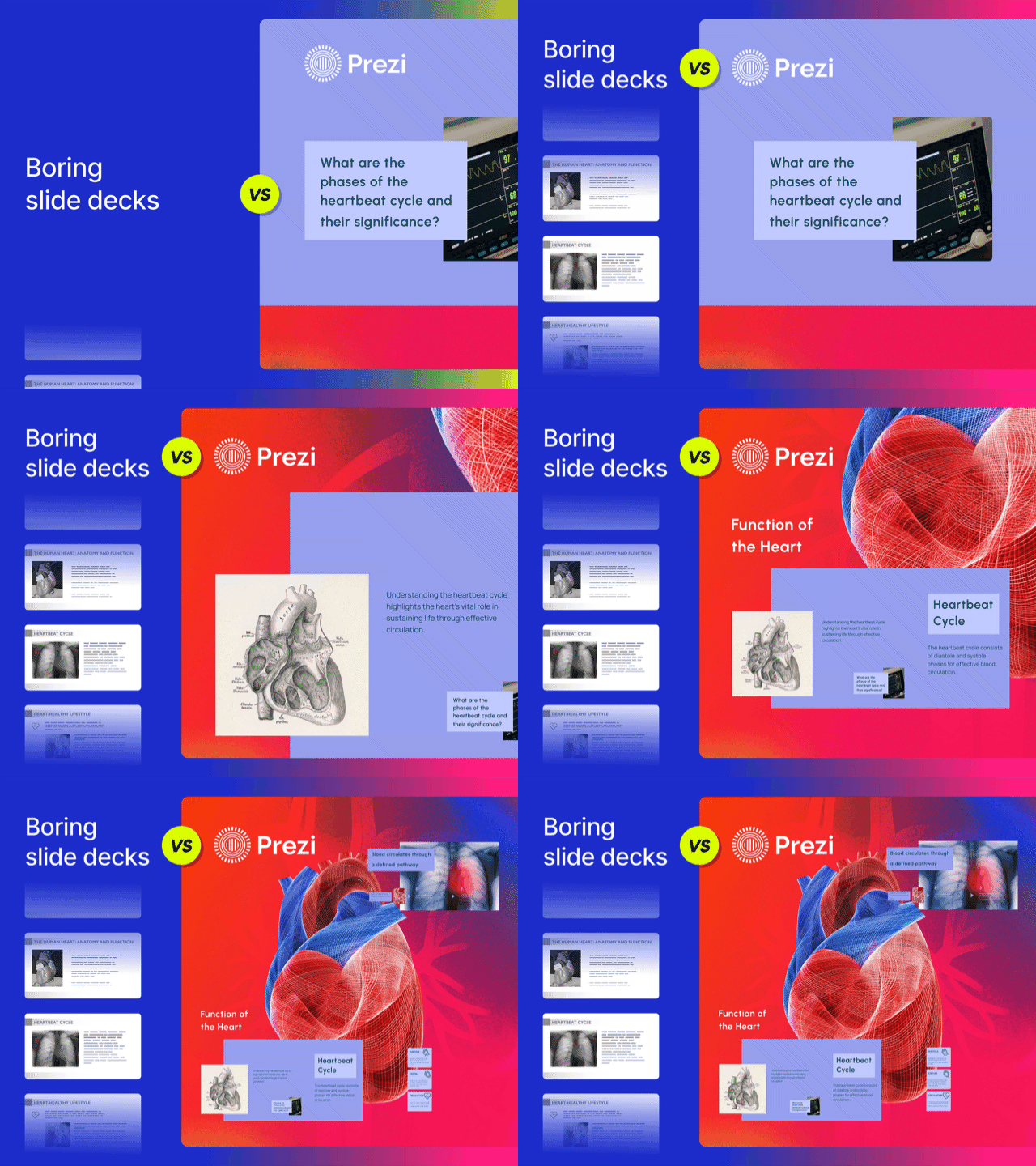
One of the quickest ways to lose your audience is by packing your slides with too much text. We’ve all been there, squinting at a slide that looks more like a page from a novel than a visual aid. Remember, your slides are there to support you, not to be a script for your audience to read. As experts point out, “Effective case studies use storytelling, strong design, and clear presentation of results. They should avoid large blocks of text.”
Instead of dense paragraphs, think visually. Use impactful images, charts, and concise bullet points to highlight key information. Your goal is to have the audience listen to you and use the slides as visual cues that reinforce your points. This approach makes your information more digestible and keeps your audience engaged with your narrative, allowing your visual storytelling to truly shine.
Insufficient preparation or practice
It might sound like a basic tip, but you’d be surprised how often a lack of practice can undermine an otherwise great case study. Knowing your material inside and out allows you to present with confidence and smoothly handle any unexpected questions or even those dreaded technical hiccups. As one seasoned presenter wisely shared, it’s key to “rehearse your presentation thoroughly to ensure you can comfortably present within the allotted time and answer questions effectively.”
Practice isn’t just about memorizing lines; it’s about internalizing your message so you can deliver it naturally and engagingly. This preparation helps you refine your timing, smooth out transitions between different parts of your case study, and become genuinely comfortable with your delivery. When you’re well-prepared, you feel more at ease, and that confidence makes you appear more credible and authoritative to your audience.
Not addressing audience needs
A truly brilliant case study can unfortunately fall flat if it doesn’t resonate with the specific audience you’re presenting to. It’s so important to remember that “understanding your audience helps to tailor your presentation to their needs and expectations, thereby increasing its effectiveness.” Before you even start thinking about slide design or content, take a moment to consider who will be in the room.
Customizing your language, the data points you choose to emphasize, and the key takeaways you offer will make your presentation far more impactful. This thoughtful approach ensures your message truly connects with your listeners and sticks with them long after you’ve finished speaking.
Master your presentation time management
Running out of time mid-sentence or rushing through your crucial points? We’ve all been there, and it’s not a great feeling. But mastering your presentation time management isn’t some mystical art; it’s a skill you can absolutely develop. It’s about making conscious choices to ensure every minute you have contributes to your message and leaves a lasting, positive impression. When you respect your audience’s time and your own, your message lands so much better. Let’s look at a few practical ways to keep your presentation perfectly paced and impactful.
Use time-boxing effectively
Managing your presentation time effectively isn’t just about speed; it’s about smart allocation. Think of time-boxing as setting clear boundaries for each segment of your talk. If you have 30 minutes to an hour, you realistically have time for just one in-depth case study. Why? Because you need to reserve at least 10 minutes for questions. Failing to time-box your presentation and leave room for Q&A can signal a lack of preparedness or consideration for audience interaction, which you definitely want to avoid. This structured approach ensures you cover your essential points without rushing or shortchanging the valuable Q&A period.
Prioritize key information
When you’re working with limited time, deciding what to share is everything. It’s far more impactful to explore one project thoroughly than to just skim the surface of several. Your resume gives a broad overview, and your portfolio might offer a bit more detail, but your case study presentation? That’s your chance to really showcase your abilities in depth. Focus on the information that truly highlights your skills, the challenges you faced, and the project’s success. Think quality over quantity. By prioritizing the most compelling aspects of a single case study, you give your audience a clear and memorable understanding of your capabilities.
Allow ample time for questions
This might sound obvious, but it’s so important I’m giving it its own spotlight: always, always leave plenty of room for questions. Seriously, this isn’t just a courtesy; it’s a golden opportunity. The Q&A segment is where you can truly connect with your audience, clarify points, and demonstrate your expertise on the fly. Being able to answer questions thoughtfully shows you really know your stuff and can think critically. Allocating significant time for this part of your presentation signals confidence and openness, turning a monologue into a valuable dialogue. It’s a crucial part of making a strong impression.
Bring your case study to life with multimedia
Words and numbers alone can only take your case study so far. To truly captivate your audience and make your findings stick, you need to bring in the power of multimedia. Think about it – a well-placed image, a compelling video clip, or an interactive chart can transform a dry recitation of facts into an engaging story that resonates long after you’ve finished speaking. Multimedia elements don’t just make your presentation look prettier; they make complex information more accessible and your narrative more memorable.
When you incorporate multimedia into your presentations, you’re catering to different learning styles and keeping your audience alert and interested. Instead of just telling them about the impressive results, you can show them. This approach helps to break up text-heavy slides, provides visual anchors for key concepts, and can even evoke emotion, making your case study more persuasive. Whether it’s simplifying intricate data with a clear infographic or showcasing a testimonial through video, multimedia is your ally in creating a presentation that truly connects. With tools like Prezi, you can seamlessly integrate these elements to craft a dynamic and impactful experience, helping your audience see the full picture.
Simplify data with infographics
Let’s be honest, staring at rows of data or dense paragraphs explaining statistics can make anyone’s eyes glaze over. This is where infographics shine! They are fantastic tools for transforming complex information into visually appealing and easily digestible formats. As experts point out, “Using visuals like charts, graphs, images, and videos makes the presentation more engaging and easier to understand. Infographics can distill complex data into digestible formats, allowing your audience to grasp key points quickly.”
Think about using bar charts to compare results, pie charts to show proportions, or a timeline infographic to illustrate project progression. The key is to choose the right type of visual for the data you’re presenting and to keep the design clean and focused. Your goal is to clarify information, not to overwhelm your audience with too much visual clutter. A well-designed infographic can make your key findings pop, ensuring your audience remembers the important takeaways.
Use video for dynamic storytelling
Video is an incredibly powerful medium for adding depth and dynamism to your case study presentation. It allows you to move beyond static slides and show, rather than just tell. It’s noted that “Interactive elements like embedded videos significantly improve engagement. Videos can showcase real-life applications of your case study, making the content more relatable and memorable for your audience.” Imagine including a short clip of a satisfied client sharing their experience, or a quick demonstration of your solution in action.
These video elements can bring a human touch to your data and make the scenario you’re describing feel much more real and impactful. You could even use a tool like Prezi Video to record yourself presenting alongside your visuals, adding a personal and engaging layer to your case study. Remember to keep videos concise and directly relevant to your points to ensure they enhance, rather than distract from, your core message.
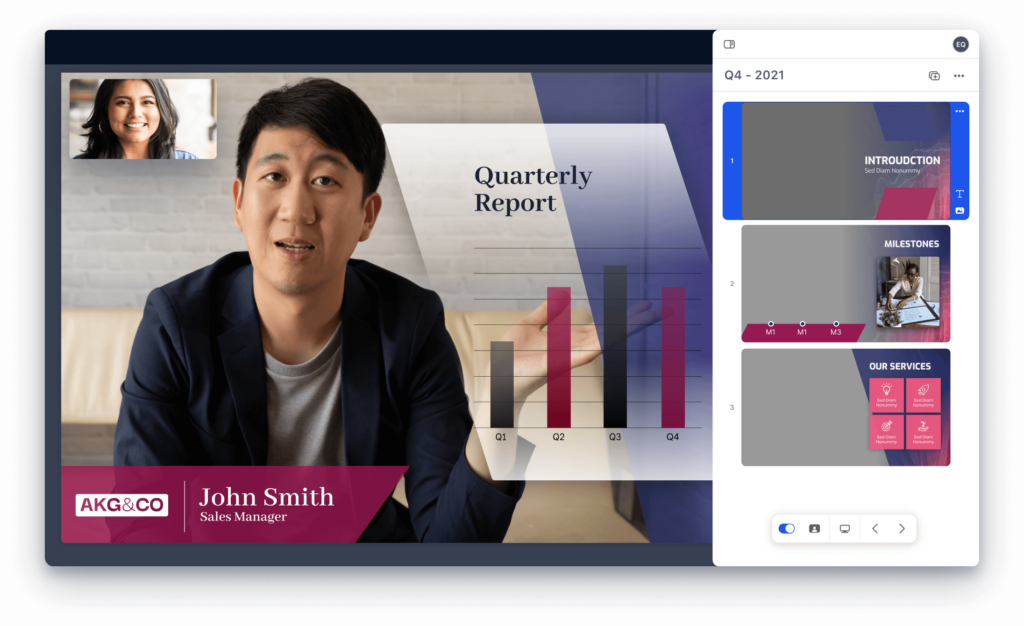
Engage with interactive data visualizations
Want to take your audience engagement up a notch? Try incorporating interactive data visualizations. Instead of passively receiving information, this approach allows your audience to explore the data themselves. Research highlights that “Multimedia is highlighted as particularly engaging for today’s audiences. Interactive data visualizations allow viewers to explore the data themselves, fostering a deeper understanding and connection to the case study.” This active participation can lead to a much stronger grasp of the information and make your findings more memorable.
You can design slides where clicking on different parts of a chart reveals more detailed information, or use Prezi’s zooming capabilities to dive into specific data points within a larger visual. This doesn’t have to be overly complicated; even simple interactive elements can make a big difference. By giving your audience some control or a path to explore data, you make them part of the discovery process, which is far more engaging than a static display.
Measure your impact and continuously improve
Giving a great case study presentation is a fantastic achievement, but the journey doesn’t end when the applause fades. To truly master this skill, it’s all about looking back at how you did and finding ways to make your next presentation even better. Think of each presentation as a learning opportunity. By actively seeking feedback, practicing consistently, and adopting strategies for growth, you’ll see your ability to connect with and persuade your audience grow significantly. This commitment to continuous improvement is what separates good presenters from great ones. It’s about building on your successes and learning from every experience to refine your approach. Let’s explore some practical ways you can measure your impact and keep honing your skills.
Gather and analyze audience feedback
One of the most valuable things you can do after your presentation is to gather feedback. It might feel a little daunting, but honest input is gold. As research highlights, “Understanding your audience helps to tailor your presentation to their needs and expectations, thereby increasing its effectiveness.” This means that when you collect insights from your listeners, you’re getting direct clues on how to make your future presentations even more impactful.
You can collect feedback in a few ways. A simple anonymous survey, either digital or paper, can ask specific questions about clarity, engagement, and the impact of your case study. If the setting allows, a brief, informal Q&A session immediately after your presentation can also provide instant insights. Pay attention not just to the questions asked, but also to the non-verbal cues you observed during your talk. Were people engaged, or did they seem confused at certain points? Analyzing this feedback will show you what resonated and what might need a different approach next time.
Refine your delivery through practice
You’ve heard it before, but it bears repeating: practice is absolutely key. As one pro tip suggests, you should “rehearse your presentation thoroughly” to ensure you’re comfortable with the material, can present within the time you have, and can handle questions smoothly. This isn’t just about memorizing your slides; it’s about internalizing your message so you can deliver it confidently and naturally.
Try practicing in front of a mirror, recording yourself, or doing a run-through for a friend or colleague. This helps you catch awkward phrasing, identify areas where you might be rushing, and check your body language. Timing yourself is also crucial. Knowing your presentation fits the allotted time reduces stress and ensures you cover all your key points without having to rush at the end. The more you practice your delivery, the more polished and professional you’ll appear.
Adopt strategies for ongoing improvement
Becoming a better presenter is an ongoing process, not a one-time fix. Adopting long-term strategies will help you continuously enhance your impact. A great starting point is to always consider your audience. As experts point out, “audience demographics” – like age, professional background, and prior knowledge – can significantly influence how they perceive your message. Regularly thinking about who you’re talking to will help you adapt your content and style effectively.
Keep a small journal or note of what worked well in each presentation and what you’d like to improve. Did a particular visual get a great response? Did a certain explanation fall flat? Also, make it a habit to watch other skilled presenters, noting what techniques they use to engage their audience. Don’t be afraid to experiment with new approaches or presentation tools to keep your style fresh and engaging. This commitment to learning and adapting is what will truly set you apart.
Want to create an impactful case study presentation? Try Prezi AI.
Frequently Asked Questions
What’s the most common slip-up you see in case study presentations? Honestly, it’s often trying to cram too much information onto each slide. Your slides are there to support your story, not tell the whole thing. Focus on strong visuals and key phrases, and let your voice fill in the details. This keeps your audience listening to you, not just reading ahead. Prezi AI can help by recommending clean layouts and breaking long text into digestible visual sections automatically.
My case study has a lot of data. How can I present it without boring everyone? Think of yourself as a data storyteller! Instead of just listing numbers, use clear charts or infographics to show trends and highlight the most impactful results. Explain what those numbers mean in a practical sense. When you connect data to the real-world success of the project, it becomes much more engaging. You can also use Prezi AI to instantly generate charts or data visualizations that highlight the most important insights.
I get really nervous before presenting. Any quick tips for case studies specifically? Preparation is your best friend here! Knowing your case study inside and out will naturally make you feel more confident. Also, really think about who you’re talking to and what they care about. When you focus on delivering value to them, it can take some of the pressure off you. Prezi AI can help you structure your content clearly, so you feel more confident knowing your narrative is polished and easy to follow.
How can I tell if my case study is actually hitting home with my audience during the presentation? Look for those little signs of engagement – are people nodding, making eye contact, or leaning in? Leaving genuine time for questions is also a great way to gauge understanding and interest. If they’re asking thoughtful questions, you know you’ve sparked their curiosity and made them think.
Is it better to present one really detailed case study or touch on a few different ones? For a presentation, I almost always recommend going deep on one strong case study. This allows you to really unpack the problem, your solution, and the fantastic results in a way that’s memorable. Trying to cover too many can leave your audience with a superficial understanding of each. Prezi AI can help expand a single case study into a full, well-structured presentation by generating outlines, visual ideas, and storytelling cues.