Naba Ahmed
December 22, 2025
We’ve all been there: trapped in a dimly lit room, watching a presenter click through a seemingly endless series of text-heavy slides. You see the glazed-over eyes, the subtle glow of phones under the table. The information might be important, but it’s just not landing. Tools like Prezi are built to help you move beyond “endless slides” and present ideas in a more visual, connected way that keeps attention.
An engaging presentation does the opposite. It pulls people in, makes them feel connected to the message, and leaves them thinking long after it’s over. This isn’t a rare talent reserved for a select few; it’s a skill anyone can develop. This guide will break down the essential components, from understanding audience psychology to designing for clarity, so you can turn any topic into a compelling experience.
What makes a presentation engaging?
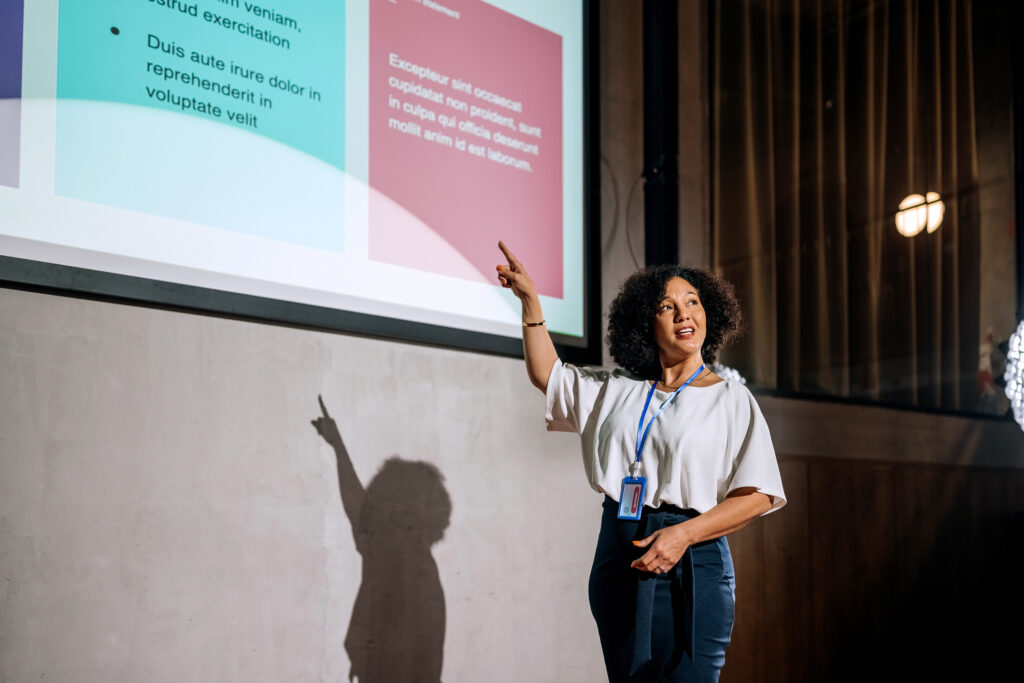
An engaging presentation does more than just share information. It creates an experience. One practical way to create that “experience” is to use a presentation format that shows how ideas connect. This is what Prezi is designed for, especially when you want to guide people from the big picture into the details without losing them.
It’s the difference between your audience passively listening and actively leaning in, curious about what you’ll say next. When a presentation is truly engaging, it sticks with people long after the last slide. It’s not about having the flashiest graphics or the loudest voice; it’s about making a genuine connection. The goal is to hold your audience’s attention, make your message memorable, and inspire them to think or act differently. This section will walk you through the foundational elements that turn a standard slideshow into a compelling conversation.
Understand audience psychology
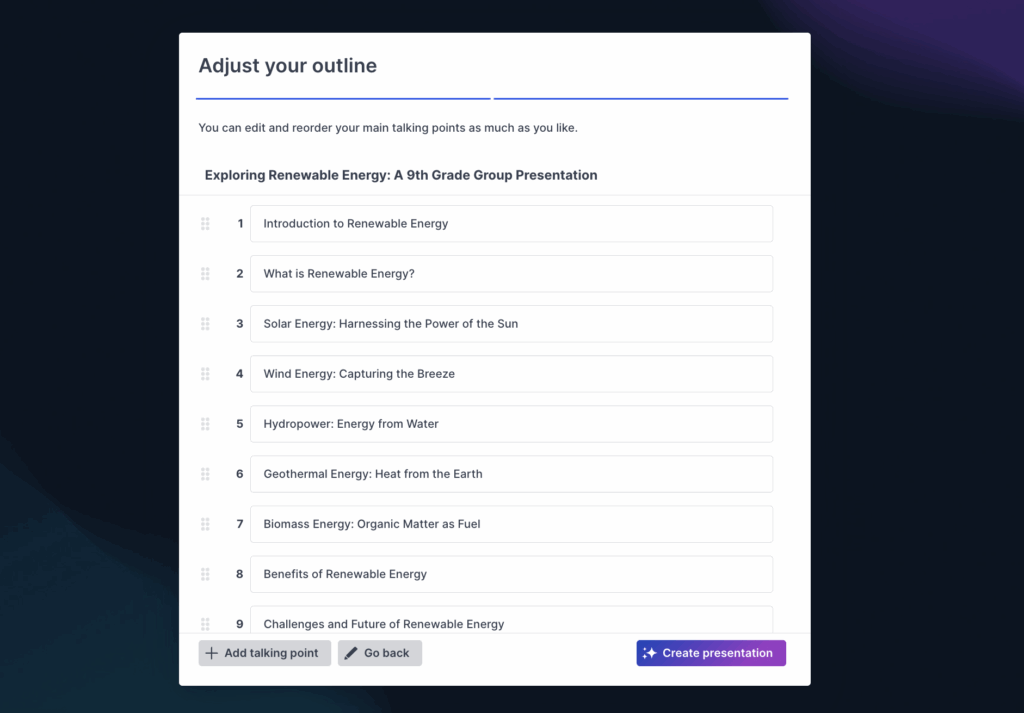
At its heart, an engaging presentation taps into basic human psychology. People pay attention to things that are relevant to them, spark their curiosity, or make them feel something. Your job as a presenter is to understand what makes your specific audience tick. If you’re short on prep time, Prezi AI can help you generate a clear first draft (outline + visuals) tailored to your topic, so you can spend your time refining the message for this audience instead of starting from a blank slide.
Think about it: a presentation that works for a room of engineers will fall flat with a group of marketing creatives. Strong presentation skills help you make a big impact, persuade people, and lead teams effectively. By understanding what your audience values and what problems they face, you can frame your message in a way that resonates on a deeper level, making them feel seen and understood.
The core elements of engagement
So, what are the building blocks of an engaging presentation? It really comes down to three key things. According to Harvard Business Review, the success of a presentation depends on “the strength of the idea, the story you tell, and how much passion you show.”
Let’s break that down. First, you need a clear, powerful core idea. What is the one thing you want your audience to remember? Second, you need to wrap that idea in a compelling story. Humans are wired for narrative, and a good story makes your message relatable and memorable. Finally, you need to show genuine passion.
A good tool can support all three—helping you shape the core idea, turn it into a story, and present it with visuals that keep your energy focused on the room. Prezi AI is especially useful here for quickly turning a rough concept into a structured narrative you can polish. Your energy is contagious, and if you’re excited about your topic, your audience is more likely to be, too.
Know your audience
This might be the most important step of all. Before you even think about your first slide, you need to know who you’re talking to. You can tailor your content and delivery to fit your audience’s needs. Are they experts who will appreciate technical details, or are they beginners who need the big picture? What challenges are they facing that your presentation can help solve? Doing this homework allows you to speak their language, use relevant examples, and show them exactly why your message matters to them personally.
Start strong
You have about 30 seconds to capture your audience’s attention before their minds start to wander. That’s why a powerful opening is non-negotiable. Forget the standard “Hi, my name is…” and a boring agenda slide. Instead, grab their attention immediately by starting with a surprising statistic, a thought-provoking question, or a short, relevant story. This is your hook. It piques curiosity and gives the audience a reason to listen. A strong start sets the tone for the entire presentation, signaling that this won’t be a typical, forgettable talk. It promises value and makes your audience eager to hear what you have to say next.
Build a connection with your audience
An engaging presentation is a conversation, not a monologue. Your goal is to close the distance between you and your audience, making them feel seen, heard, and involved. Building this connection isn’t about a single grand gesture; it’s about a series of small, intentional actions that transform passive listeners into active participants. From the way you stand to the questions you ask, every choice can either build a bridge or a wall. Let’s walk through the practical steps you can take to create a genuine rapport with your audience, making your message more memorable and impactful.

Read the room and use body language
Connecting with your audience starts long before you step on stage and continues with every non-verbal cue you give. First, do your homework. Understanding who you’re speaking to—their roles, their interests, their challenges—allows you to tailor your content specifically for them. This shows respect for their time and instantly makes your message more relevant. Once you’re presenting, let your body language do the talking. Stand tall with an open stance to project confidence. Make eye contact with different people around the room to create individual moments of connection. Your ability to command the room depends heavily on these non-verbal signals that communicate warmth and authority.
Create a natural dialogue
The best presentations feel like a conversation. Instead of talking at your audience for the entire time, find ways to talk with them. The easiest way to do this is to break the fourth wall and invite them into the discussion. You can shift the dynamic from a lecture to a dialogue by simply asking for their opinions or experiences related to your topic. This doesn’t have to be a formal Q&A session. Sprinkling small, interactive moments throughout your talk keeps people tuned in because they feel like part of the experience. The goal is to make it a two-way conversation, which makes your audience feel valued and keeps their energy levels high.
Ask strategic questions
Asking questions is key, but the type of questions you ask matters. Moving beyond the generic “Any questions?” at the end can make a huge difference. Instead, plan to pause every 10 minutes or so to check in. Ask specific, targeted questions that prompt more than a yes or no answer. For example, instead of asking “Does that make sense?” try “What’s one way you could apply this idea to your work next week?” This encourages deeper thinking and gives you real-time feedback on whether your message is landing.
Incorporate interactive tools
Technology can be your best friend when it comes to creating a dialogue with a large group. Interactive tools are perfect for breaking the ice, gathering instant feedback, and keeping your audience engaged. Live polls are a fantastic way to gauge the room’s opinion on a topic, while a live Q&A feature allows people to submit questions without interrupting your flow. You can even add short quizzes to test their knowledge in a fun, low-stakes way. Tools like Prezi Video keep you on-screen alongside your visuals (more like a broadcast than a slideshow), and Prezi AI can help you generate a polished, engaging presentation structure quickly. This allows you to focus on the conversation, not formatting.
Manage group dynamics
A lively Q&A session is a sign of an engaged audience, but it requires careful management. Make sure you leave plenty of time for questions at the end and clearly signal when that time begins. When a question is asked, listen carefully and repeat it for the benefit of the entire room. This ensures everyone is on the same page and gives you a moment to formulate your answer. If you get a difficult or off-topic question, stay calm. Acknowledge the person’s point respectfully before guiding the conversation back to your main message. Handling questions with grace shows confidence and reinforces your credibility as a speaker.

Tell a story that captivates
Humans are wired for stories. From the time we’re children, we learn about the world through narratives, not spreadsheets. Tapping into this fundamental part of human psychology is one of the most powerful things you can do as a presenter. A good story can turn a dry presentation into a memorable experience, making complex ideas understandable and your message stick long after you’ve left the stage. It’s not about telling a fairy tale; it’s about structuring your information in a way that connects with your audience on an emotional and intellectual level. If structure is the hard part, Prezi AI can help you map a narrative arc (problem, insight, solution), and then turn it into a visual flow that makes the story easier for your audience to follow.
Storytelling isn’t just for authors or filmmakers. In a business presentation, a story can be a customer success journey that illustrates the impact of your product. In an academic lecture, it can be the history of a discovery, complete with its challenges and breakthroughs. By weaving your facts and data into a compelling narrative, you guide your listeners on a journey, holding their attention from the first slide to the last. This approach transforms you from a simple information provider into a guide who makes meaning out of data, which is far more engaging.
Craft your narrative arc
Every great story has a beginning, a middle, and an end. Your presentation should, too. Start with a compelling introduction that sets the scene and grabs your audience’s attention. The middle is where you present the core of your message—your data, arguments, and key points—building on the initial hook. Finally, deliver a powerful conclusion that summarizes your main idea and leaves a lasting impression. This simple structure provides a clear path for your audience to follow, making your content easier to digest and remember. Think of it as a way to build a roadmap for your message.
Simplify complex ideas
Your job as a presenter is to make the complicated feel simple. One of the best ways to do this is through visuals. Instead of a slide crowded with bullet points, use a single, high-impact image or a clear chart to illustrate your point. A well-chosen visual can convey meaning and emotion far more quickly than text alone. When you need to explain a process or a complex system, consider using a diagram or a simple animation. The goal is to design your presentation in a way that clarifies your message, not complicates it, ensuring your audience understands the key takeaways without getting lost in the details.
Create an emotional connection
Facts and figures inform, but emotion is what persuades. To truly engage your audience, you need to make them feel something. Weave personal anecdotes, relevant case studies, or real-world examples into your presentation to make your message more relatable. Sharing a brief story about a customer’s success or a personal challenge you overcame can make your data feel more human and tangible. This emotional layer helps build trust and makes your content more memorable, turning passive listeners into an engaged audience that is invested in your message.
Maintain your energy and pace
How you say something is just as important as what you say. A monotone voice can put any audience to sleep, no matter how interesting the topic. Vary your vocal tone, pitch, and volume to emphasize key points and maintain interest. Speak at a comfortable, deliberate pace, and don’t be afraid to use pauses. A well-timed pause can add dramatic effect, give your audience a moment to process important information, and make you appear more confident. Your energy is contagious, so delivering your presentation with enthusiasm will help keep your audience hooked.
Use hooks and transitions effectively
You have a very short window to capture your audience’s attention, so your opening needs to be strong. Start with a surprising statistic, a provocative question, or a compelling anecdote that relates directly to your topic. Once you have their attention, you need to keep it. Use clear transitions to guide your audience smoothly from one point to the next. Think of your transitions as signposts that signal a shift in topic and show how your ideas connect. A logical flow helps prevent confusion and keeps your narrative cohesive from beginning to end.
Design for engagement
How your presentation looks is just as important as what it says. Great design isn’t about adding flashy graphics or complicated fonts; it’s about clarity. The goal is to create a visual experience that guides your audience’s attention, makes your message easier to understand, and keeps them focused on your key points. When you design for engagement, you’re removing friction and making it effortless for people to follow along. Think of your slides as a visual aid, not a teleprompter. They should support your words, not replace them.
You don’t have to be a professional designer to create a beautiful and effective presentation. The key is to follow a few simple principles that prioritize the audience’s experience. By focusing on a clear visual hierarchy, balancing your text and images, and using color and animation with purpose, you can transform a standard slide deck into a compelling visual story. Tools like Prezi AI, a powerful AI presentation tool, can give you a huge head start by generating a well-structured, visually engaging draft from a simple prompt. Now, you can focus on refining your message instead of building slides from scratch.
Establish a visual hierarchy
Every slide should have a focal point. Visual hierarchy is how you tell your audience what to look at first, second, and third. You can create this order by using size, color, and placement. Your most important element—like a headline or a key statistic—should be the largest or most prominent thing on the slide. Supporting details should be smaller and less conspicuous. This structure helps prevent cognitive overload. Remember, your slides should be simple and visual, not filled with long bullet lists. If you have a lot of detailed information to share, it’s better to provide a link to a resource than to cram it all onto one slide.
Balance text and images
The human brain processes images much faster than text, so use that to your advantage. A presentation full of dense text is a surefire way to lose your audience. Instead, find a healthy balance between words and visuals. Use high-quality, relevant images and infographics to illustrate your points. As the saying goes, a picture can explain a lot. A single, powerful image with a few words is almost always more effective than a slide packed with text. Every visual you use should have a purpose and directly support your message. Don’t just add images for decoration; make them an integral part of how you tell your story.
Use color strategically
Color is a powerful tool for setting the mood, directing attention, and reinforcing your brand. But with great power comes great responsibility. Using too many colors can make your slides look chaotic and unprofessional. The best approach is to choose a simple and consistent color palette with two or three primary colors and stick to it. Use your main colors for backgrounds and text, and save a brighter, contrasting accent color to highlight key information, like a specific data point or a call to action. A strategic use of color helps keep your slides simple and clean, making your entire presentation feel more cohesive and polished.

Add purposeful animation
Animation can bring your presentation to life, but it needs to be used with intention. Avoid random spinning text or cheesy transitions that distract from your message. Instead, use purposeful animation to guide the audience’s focus and reveal information sequentially. For example, you can have bullet points appear one by one as you discuss them, which keeps the audience from reading ahead. Prezi’s signature zoom and pan movements are a perfect example of purposeful animation, allowing you to show the relationship between the big picture and the finer details. When used thoughtfully, animation adds a dynamic layer to your story.
Visualize data clearly
When you have data to present, your goal is to make it as easy to understand as possible. Don’t just copy and paste a complex spreadsheet onto a slide. That’s a guaranteed way to make your audience’s eyes glaze over. Instead, simplify your charts and graphs to highlight the most important data points. Ask yourself: what is the single most important takeaway from this data? Then, design a visual that makes that takeaway immediately obvious. Use simple bar charts, pie charts, or even a single large number to make your point. Clear data visualization turns abstract numbers into a concrete, understandable story that sticks with your audience.
Deliver with confidence and impact
You’ve built a compelling narrative and designed beautiful slides. Now it’s time for the final piece of the puzzle: your delivery. How you present your ideas is just as important as the ideas themselves. A confident and impactful delivery can turn a good presentation into a great one, holding your audience’s attention and making your message stick. It’s about more than just getting through your slides; it’s about connecting with your audience on a human level. Let’s walk through the key elements that will help you command the room, whether it’s a physical boardroom or a virtual meeting.
Master your voice and timing
Your voice is one of your most powerful tools. Instead of speaking in a monotone, try to vary your tone, pitch, and volume to emphasize key points and keep your listeners tuned in. Think of it like a conversation. You naturally get louder when you’re excited or softer when you’re sharing something thoughtful. Pacing is also critical. Speaking too quickly can make you hard to follow, while going too slowly can cause people to lose interest. Don’t be afraid to use pauses. A well-timed pause gives your audience a moment to process what you’ve said and adds weight to your words. For more guidance, check out these strategies for engaging presentations.
Use powerful body language
Even if you’re nervous, your body language can project confidence. Stand tall with your shoulders back and maintain an open stance. This not only makes you look more assured but can actually make you feel it, too. Make eye contact with different people in the room to create a personal connection. If you’re presenting virtually, look directly into the camera. Use hand gestures to illustrate your points, but keep them natural and not too distracting. Your non-verbal cues should support your message, not detract from it. When your body language aligns with your words, your entire presentation becomes more convincing and authentic. You can find more tips on how to deliver your presentation effectively on our blog.
Manage your tech seamlessly
Nothing breaks the flow of a presentation faster than a technical glitch. Always do a full tech rehearsal beforehand—check your slides, your microphone, and your internet connection. This is especially important for virtual presentations. Use your presentation tools to your advantage by incorporating interactive elements like polls or live Q&A sessions to keep your audience involved. Tools like Prezi Video let you appear right alongside your content, creating a more dynamic and personal experience for your viewers. When you’re comfortable with your tech, you can focus on what really matters: connecting with your audience and delivering your message without a hitch.
Lead an effective Q&A
The question-and-answer session isn’t just the end of your presentation; it’s an opportunity to continue the conversation. Make sure you leave enough time for it and actively encourage questions. When someone asks a question, listen carefully without interrupting. It’s a great practice to repeat the question for the rest of the audience—this ensures everyone heard it and gives you a moment to formulate your answer. Respond clearly and concisely. If you don’t know the answer, it’s okay to say so and offer to follow up later. A well-handled Q&A shows you’re confident in your topic and that you value your audience’s input, turning a one-way speech into a productive dialogue.
Create a memorable closing
How you end your presentation is just as important as how you begin. Your closing is your last chance to reinforce your key message and leave a lasting impression. Don’t just trail off with a simple “any questions?” Instead, craft a memorable conclusion that ties everything together. Summarize your main points, restate your core message, and leave the audience with a clear takeaway or a compelling call to action. You could end with a powerful quote, a thought-provoking question, or a short, impactful story. A strong closing ensures your audience walks away feeling inspired and remembering exactly what you wanted them to learn.
If you’re looking for a tool guaranteed to create engaging presentations and slides, try Prezi AI.
Frequently Asked Questions
What if I’m not a natural storyteller? How can I still tell a compelling story? You don’t have to be a novelist to be a great storyteller. In presentations, storytelling is really about structure. Think of it as framing your information with a clear beginning, middle, and end. Start by introducing a problem or a question your audience cares about. The middle is where you present your data and ideas as the solution or the answer. Finally, the end should clearly state the outcome or a call to action. Using a simple customer success story or a brief personal anecdote can also serve as a powerful narrative thread to connect all your points.
My presentations are full of data. How can I make them engaging without dumbing them down? The key is to make your data easy to understand, not to simplify the information itself. Instead of showing a complex spreadsheet, ask yourself what the single most important takeaway is from that data. Then, create a visual that highlights that one point. A clean bar chart, a simple line graph, or even just a single large number on a slide can be incredibly powerful. Your job is to tell the story behind the data, explaining what it means and why it matters to your audience.
How can I tell if my audience is actually engaged during a virtual presentation? It’s definitely harder when you can’t see everyone, but you can look for digital cues. The best way to gauge engagement is to create opportunities for it. Use interactive tools like live polls to ask for opinions or a Q&A feature to gather questions as you go. You can also ask people to use the chat to share a quick thought or reaction. When you see active participation in these moments, you know people are tuned in and not just checking their email.
What’s the single biggest design mistake to avoid on my slides? The most common mistake is putting too much text on a single slide. When a slide is crowded with words, your audience is forced to choose between reading it and listening to you, and they can’t do both well. Your slides should be a visual aid that supports your message, not a script you read from. Aim for one core idea per slide, illustrated with a strong image and minimal text. This keeps the focus on you, the speaker.
I get really nervous before presenting. Any quick tips to project confidence? Confidence often starts from the outside in. Before you begin, stand tall with your shoulders back and plant your feet firmly on the ground. Take a few slow, deep breaths to calm your system. When you start speaking, make a conscious effort to slow down your pace and make eye contact with a few friendly faces in the room, or look directly into your camera if you’re virtual. These small physical adjustments can make you feel more grounded and appear much more confident to your audience.
What’s a fast way to turn a rough idea into an engaging deck? Start with a clear goal and 3–5 key points, then build a narrative around them. If you want to speed up the first draft, Prezi AI can generate an outline and visual structure from a prompt, and then you can refine the story, examples, and delivery.